
Android Aflags
This data source is supported only on Android. It requires the /system/bin/aflags tool, which is present on recent Android releases.
The "android.aflags" data source captures snapshots of Android aconfig flags, the configuration system used to manage feature rollout and behavior across the Android platform.
This allows you to record, for any given trace, which feature flags were active on the device and what value they had. It is useful when comparing traces taken across different builds, or when a behavior change is only explainable by an in-flight flag rollout.
Under the hood traced_probes invokes /system/bin/aflags list --format proto, decodes the output, and writes one TracePacket per poll. Periodic polling can be enabled via poll_ms (minimum 1000ms).
UI
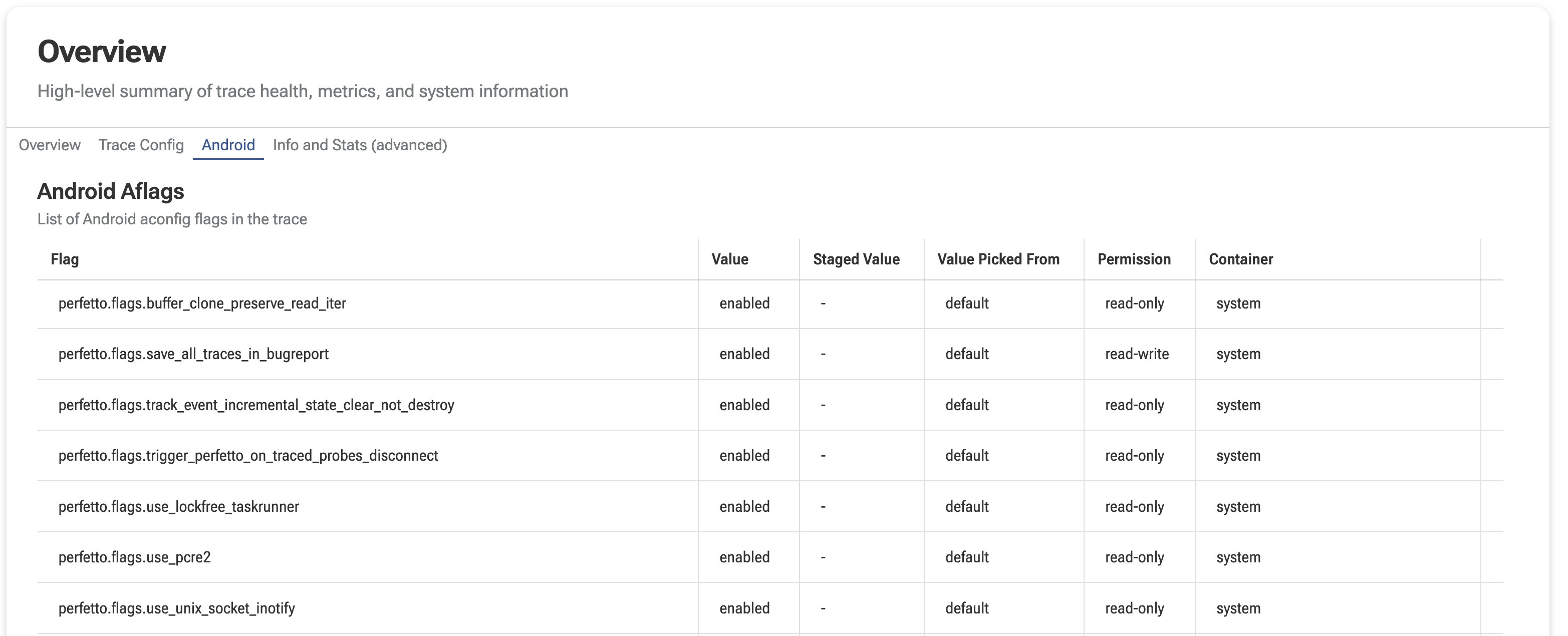
At the UI level, aflags are shown as an "Android Aflags" table under the Android tab of the trace info page. If the trace contains multiple snapshots (periodic polling), a dropdown above the table lets you switch between timestamps.
SQL
At the SQL level, aflags data is exposed through the android.aflags standard-library module. Each row in the android_aflags view represents the state of a single flag at a specific timestamp (the ts column).
Below is an example of listing the flags and their current values:
INCLUDE PERFETTO MODULE android.aflags;

select ts, package, name, value, permission
from android_aflags
order by package, name| ts | package | name | value | permission |
|---|---|---|---|---|
| 12345 | perfetto.flags | buffer_clone_preserve_read_iter | enabled | read-only |
| 12345 | perfetto.flags | save_all_traces_in_bugreport | enabled | read-write |
| 12345 | perfetto.flags | use_lockfree_taskrunner | enabled | read-write |
Below is an example of finding flags whose value was overridden from the default (useful for debugging why behavior diverges from a pristine build):
INCLUDE PERFETTO MODULE android.aflags;

select package, name, value, value_picked_from, storage_backend
from android_aflags
where value_picked_from != 'default'| package | name | value | value_picked_from | storage_backend |
|---|---|---|---|---|
| perfetto.flags | save_all_traces_in_bugreport | enabled | server | device_config |
| perfetto.flags | use_lockfree_taskrunner | disabled | local | aconfigd |
If the aflags tool fails at runtime, a per-trace error is recorded in the stats table under the name android_aflags_errors:
select name, severity, source, value, description
from stats
where name = 'android_aflags_errors'| name | severity | source | value | description |
|---|---|---|---|---|
| android_aflags_errors | error | trace | 1 | Errors occurred during the collection of Android aconfig flags by the android.aflags data source. This typically happens if the aflags tool fails or its output is malformed. |
TraceConfig
Android aflags is configured through the AndroidAflagsConfig section of the trace config.
Sample config — one-shot snapshot at trace start:
data_sources: {
    config {
        name: "android.aflags"
    }
}
Sample config — periodic polling (each poll costs ~350ms; poll_ms must be >= 1000):
data_sources: {
    config {
        name: "android.aflags"
        android_aflags_config {
            poll_ms: 5000
        }
    }
}